


A supervisor gets a text that a cleaner never showed up at a medical office. The employee says they were there. Payroll has a timesheet. The customer wants answers. That is exactly why use geofenced employee clock ins becomes a practical operations question, not a tech question. When crews work across multiple buildings, shifts, and start times, you need a reliable way to confirm attendance at the actual job site without adding friction for the field.
Geofenced clock-ins help solve a specific problem: knowing whether the right employee started work at the right location and the right time. For janitorial contractors, security companies, and other employers with distributed hourly teams, that kind of visibility affects coverage, payroll, customer trust, and profit.
Why use geofenced employee clock ins for field teams
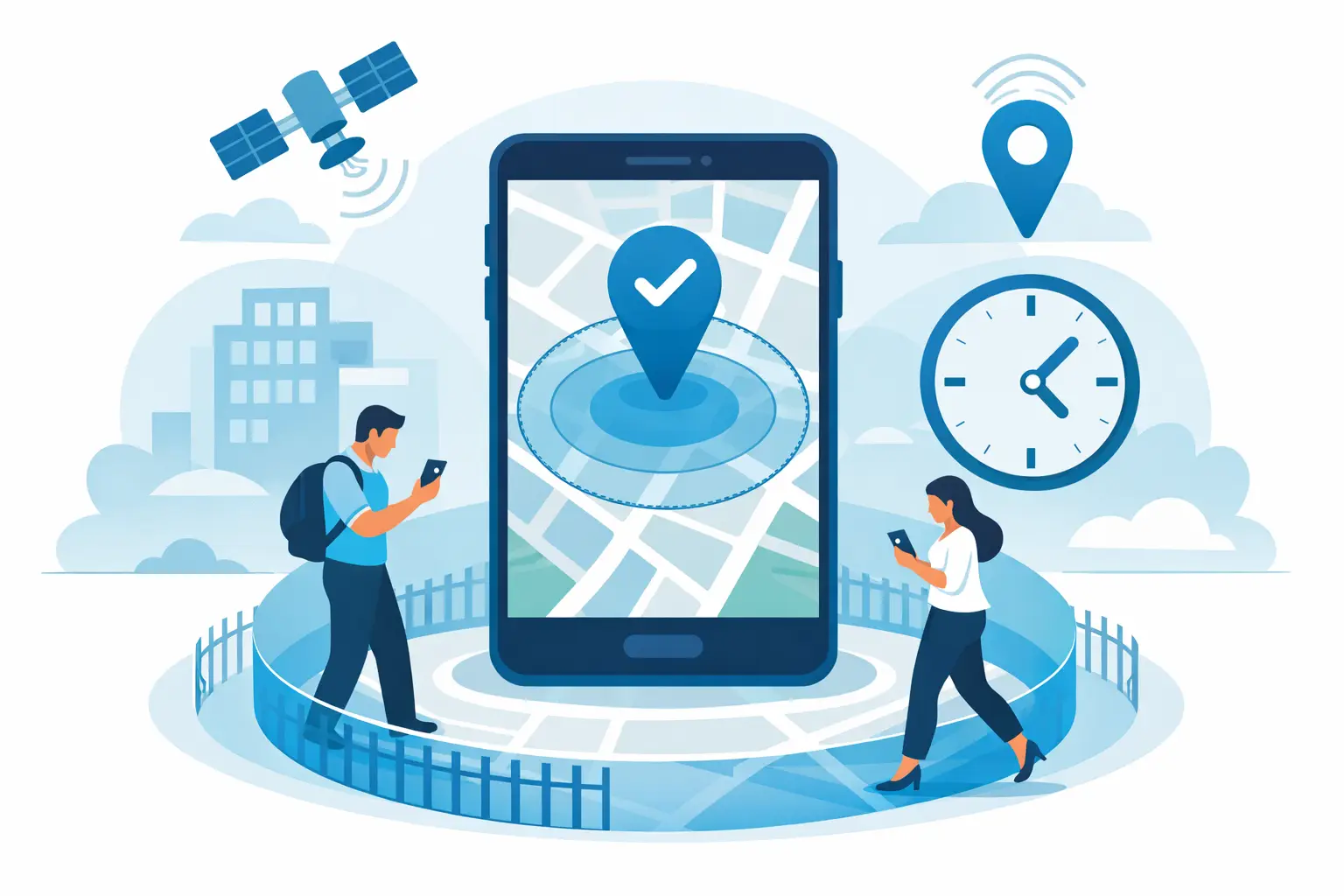
A geofence is a virtual boundary set around a job site. When an employee clocks in from a mobile device, the system checks whether they are inside that approved area. If they are, the punch is accepted or verified based on your setup. If they are not, the system can block the punch, flag it, or alert management.
That sounds simple, but the business value is significant. A standard mobile time punch tells you when someone tapped a screen. A geofenced punch tells you whether that punch happened where it was supposed to happen. For companies managing dozens or hundreds of off-site workers, that distinction matters every day.
Without location rules, managers often spend too much time chasing basic facts:
- Did the employee arrive?
- Did they go to the correct account?
- Did they clock in from the parking lot, the wrong building, or from home before driving over?
A geofence does not solve every attendance problem by itself, but it gives operations teams a much stronger starting point.
Better attendance accuracy at the job site
The first reason companies adopt geofenced employee clock-ins is straightforward: they want cleaner attendance data. If your crews move between customer locations, time entries lose value when they cannot be tied to the actual site.
This is especially important for recurring service work. A janitorial company may have employees assigned to schools, offices, clinics, and industrial buildings in the same evening. A supervisor cannot physically check each stop. Geofencing creates a site-level control that helps confirm the employee started at the assigned property instead of somewhere else.
That improves more than recordkeeping. It improves response time. When a worker cannot clock in at the expected site, the issue surfaces immediately instead of showing up later on a paper timesheet or after a customer complaint. That allows managers to react while the shift can still be saved.
Fewer payroll disputes and less manual correction
Payroll teams feel the cost of weak time verification quickly. When punches are missing, questionable, or tied to the wrong location, someone in the office has to sort it out. That means phone calls, edits, exceptions, and approvals that eat into already tight admin time.
Geofenced clock-ins reduce that cleanup work because the system applies location rules up front. Time records come in with stronger context. You know where the employee clocked in, whether the punch matched the assigned job site, and whether the record needs review.
That does not mean every payroll issue disappears. Employees can still forget to clock out. GPS can still be affected by signal conditions in some buildings. But geofencing cuts down on avoidable disputes, especially the ones that start with, "I was there," and end with the office trying to reconstruct a shift after the fact.
For companies preparing payroll across multiple contracts and labor codes, better source data means fewer downstream errors. And fewer payroll corrections usually means fewer frustrated employees and fewer questions from customers.
Stronger labor cost control
Labor overruns rarely come from one dramatic mistake. More often, they build from small gaps in control - early clock-ins, late clock-outs, wrong-site punches, uncovered shifts, or hours charged to the wrong job. Geofenced employee clock-ins help tighten that control at the point where labor starts.
When clock-ins are tied to approved job sites, managers can compare actual attendance against schedules in real time. They can see whether a shift has started, whether an account is uncovered, and whether someone is on site longer than expected. That visibility supports faster decisions before extra labor turns into a margin problem.
This matters even more in contract businesses where each account has a budget. If labor is drifting over plan at a specific location, you need to see it early enough to act. Verified, site-based time data gives operations leaders a clearer picture of what is happening at the account level, not just in aggregate payroll totals at the end of the week.
More reliable coverage for customer-facing work
Many service contracts depend on consistency more than anything else. The customer expects a building to be cleaned, a post to be staffed, or a site check to happen on schedule. If no one shows up, or if the wrong person clocks into the wrong place, the operational issue quickly becomes a customer retention issue.
Geofencing helps reduce those misses because it supports active shift monitoring. Managers can identify exceptions sooner and reassign coverage before the service failure gets worse. That is valuable in any field operation, but especially in janitorial and security environments where after-hours work happens with little direct supervision.
It also helps supervisors manage by exception. Instead of checking every shift manually, they can focus on the punches that are outside the approved location or that did not happen at all. That is a better use of management time and a more practical way to run a dispersed workforce.
Why use geofenced employee clock ins instead of basic GPS alone
Basic GPS stamping is useful, but geofencing adds operational rules. GPS alone may show where a punch occurred on a map. Geofencing lets you define what counts as an acceptable punch for a specific job site.
That difference matters when job locations are close together, when a site has a large footprint, or when employees service multiple accounts in one shift. A map pin without boundaries can still leave room for interpretation. A geofence creates a clearer standard.
It also gives companies more flexibility in how tightly they want to manage exceptions. Some employers prefer to allow the punch and flag it for review. Others want to prevent out-of-area punches altogether. The right setup depends on the work, the site conditions, and how much control is needed at each account.
The trade-offs to think through
Geofencing is useful, but it works best when implemented with field reality in mind. If a geofence is too small, employees may have trouble clocking in at sites with poor signal, multi-story buildings, loading docks, or large campuses. If it is too large, you lose precision.
That is why setup matters. A warehouse, a downtown office tower, and a school campus may each need different radius settings. Some sites may also need a backup clock-in method, such as a phone-based option, if mobile conditions are inconsistent.
Employee adoption matters too. The process has to be easy enough for frontline workers to use correctly without repeated coaching. If the app requires too many steps or if location permissions are not handled clearly, avoidable exceptions go up. The goal is operational accuracy with minimal friction.
This is also where a broader workforce system matters more than a single feature. Geofenced punches are much more valuable when they connect to schedules, alerts, job assignments, and payroll preparation. On their own, they verify location. Inside a full operation workflow, they help managers prevent missed work, resolve issues faster, and keep labor aligned with the plan.
Where geofenced clock-ins deliver the most value
The strongest fit is any business with hourly employees working off-site, on recurring schedules, across multiple customer locations. Janitorial contractors are a clear example because they often manage many small teams spread over wide service areas with tight labor budgets and little room for attendance error.
Security, facilities services, property management, and construction also benefit, especially when accountability at the site level affects billing, compliance, or customer confidence. If you run a business where supervisors cannot physically observe every start time and every location, geofenced clock-ins can close a costly visibility gap.
They may be less critical for a single-location business where managers can see everyone arrive. But once work becomes distributed, and especially once payroll depends on accurate site-level time data, the value becomes much easier to justify.
The real reason to use geofenced employee clock-ins is not that they add technology to the workday. It is that they give operations teams better control over attendance, coverage, payroll inputs, and labor costs without making field supervision depend on guesswork. And when every shift, every account, and every labor hour affects profitability, that kind of control pays for itself quickly.
Frequently Asked Questions
What is a geofenced employee clock-in?
A geofence is a virtual boundary set around a job site. When an employee clocks in from a mobile device, the system checks whether they are inside that approved area, and depending on your setup, the punch is accepted, flagged for review, or blocked if it falls outside the boundary. That gives employers a location standard that a basic GPS stamp does not provide on its own.
How is geofencing different from basic GPS clock-in?
Basic GPS stamping shows where a punch occurred on a map, but it does not define what counts as an acceptable location. Geofencing adds that rule: it lets you set boundaries around each job site so a punch is only accepted, or is flagged, when it falls inside the approved area. That matters most when job locations are close together or when employees service multiple accounts in one shift.
Does geofencing reduce payroll disputes?
Yes. Geofenced clock-ins apply location rules up front, so time records arrive with stronger context: where the employee clocked in, whether it matched the assigned site, and whether the entry needs review. That cuts down on avoidable disputes, especially the ones that start with an employee saying they were there and end with the office trying to reconstruct the shift after the fact. It does not eliminate every payroll issue, but it reduces manual cleanup work.
Which businesses benefit most from geofenced clock-ins?
The strongest fit is any business with hourly employees working off-site on recurring schedules across multiple customer locations, such as janitorial contractors, security companies, facilities services, property management, and construction. These are businesses where supervisors cannot physically observe every start time and payroll depends on accurate site-level time data. A single-location business where managers can see everyone arrive has less need for it.
How big should a geofence radius be?
It depends on the site. A warehouse, a downtown office tower, and a school campus may each need different radius settings, since signal conditions, building size, and layout vary. If a geofence is too small, employees may struggle to clock in at sites with poor signal or large campuses; if it is too large, you lose precision. Some sites may also need a backup clock-in method, such as a phone-based option, when mobile conditions are inconsistent. See Chronotek's timekeeping tools for how location rules are configured per site.
Do geofenced clock-ins replace scheduling and payroll systems?
No. Geofenced punches verify location, but they deliver the most value when connected to a broader workforce system, including scheduling, alerts, job assignments, and payroll preparation. On their own, geofenced clock-ins confirm where someone punched in. Inside a full operating workflow, that data also helps managers prevent missed work, resolve issues faster, and keep labor aligned with the plan.