

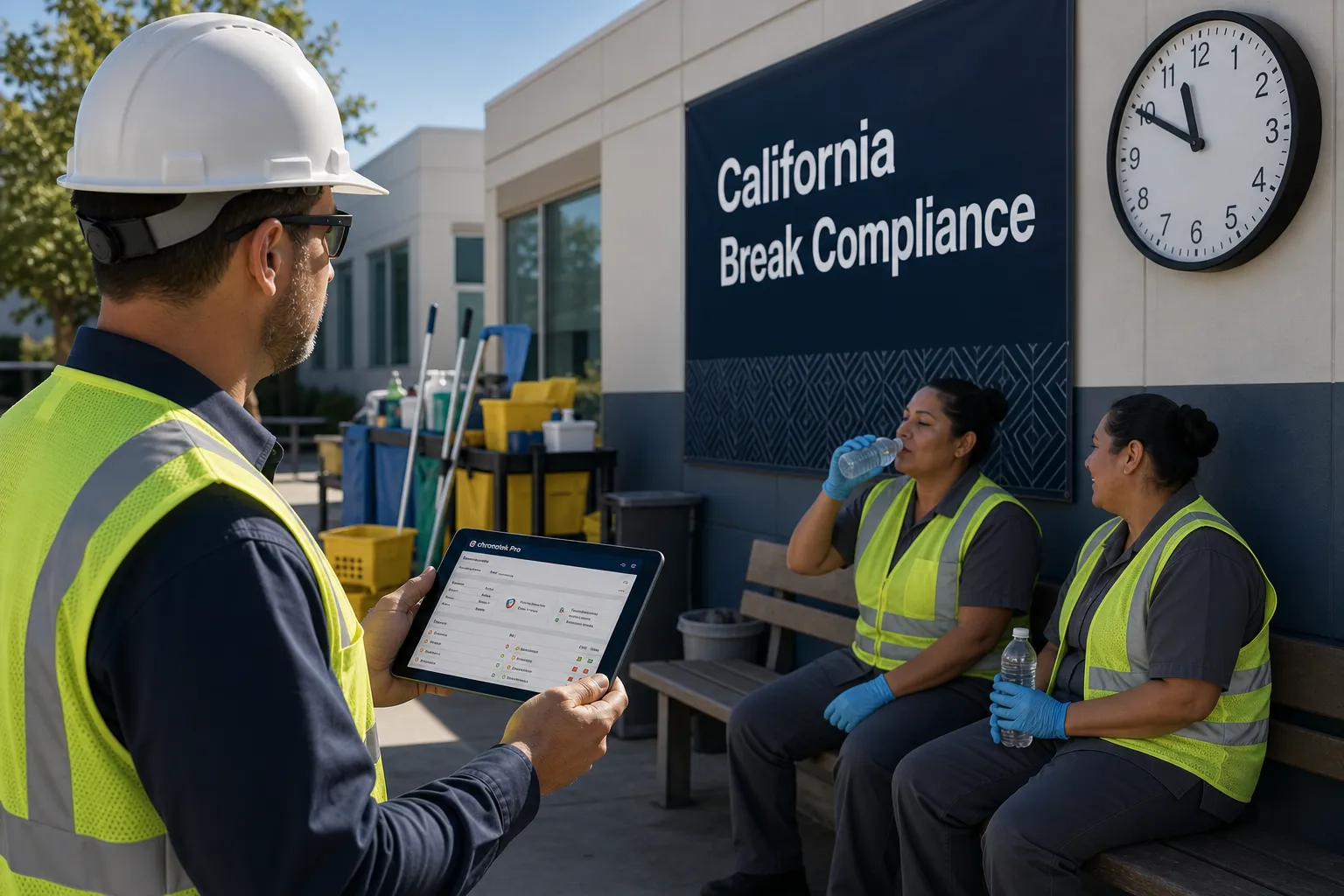


Janitorial Management Software that works as hard as you do.
with Advanced Scheduling, GPS and Telephone Timekeeping, Messaging w/auto-translation, Job Instructions, Supply Management and much more
 4.8
4.8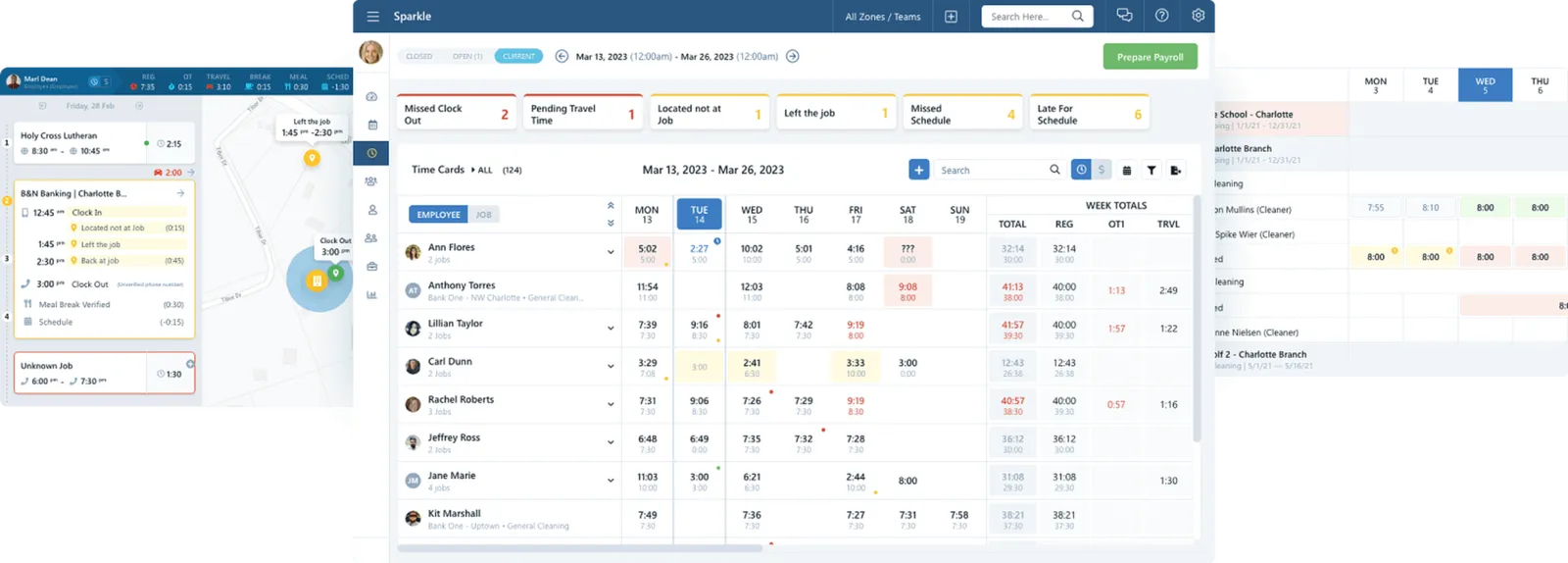
How Can Chronotek Pro Help Your Janitorial Business?
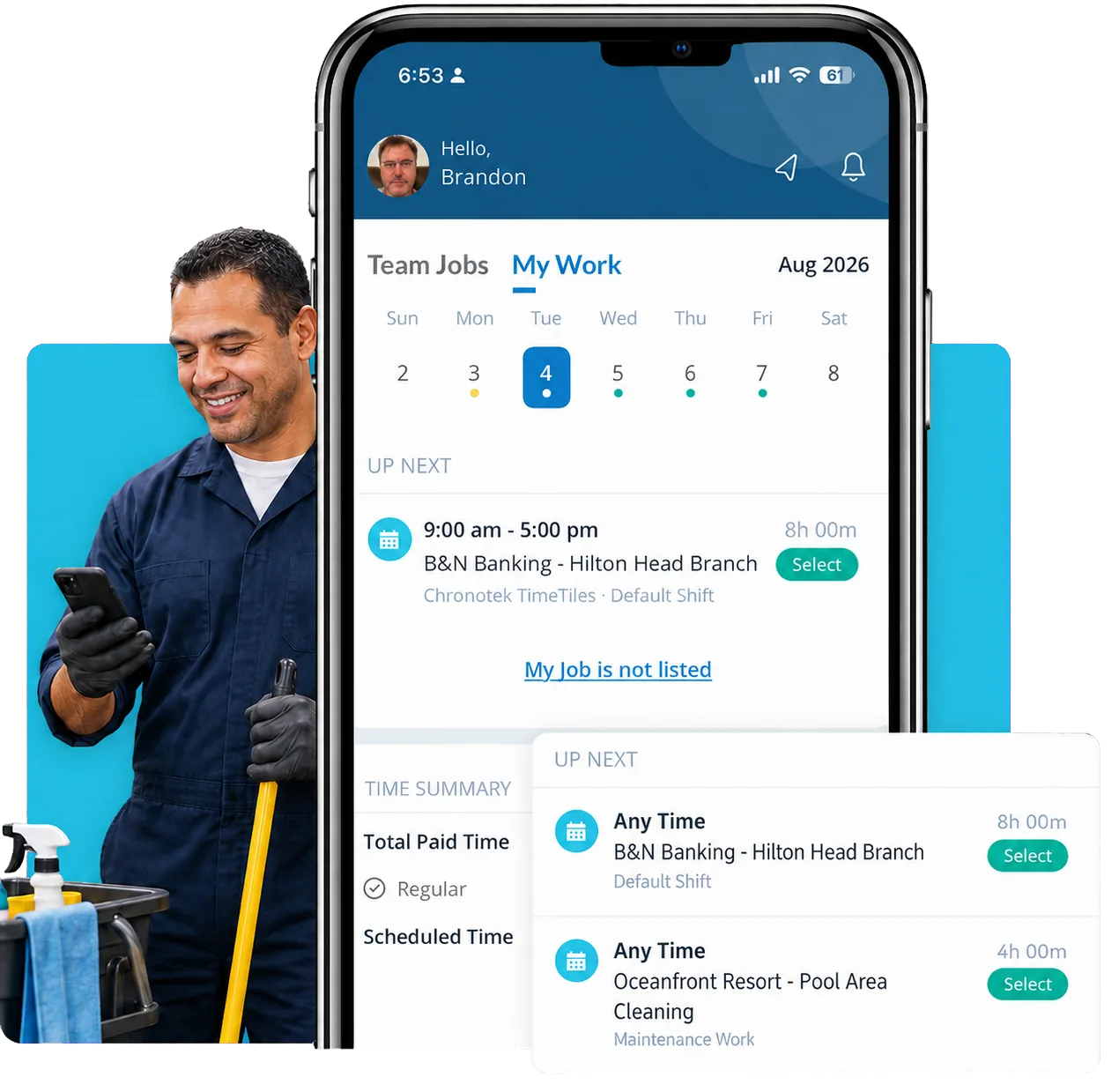
Remote crews are hard to manage. Chronotek shows who’s on-site and on time with GPS time tracking built for janitorial work. Commercial cleaning companies have trusted us for 30+ years because we surface problems before they hit your desk.
Get instant alerts for no-shows and off-site punches, and require clock-ins at the job site. Clean time cards mean accurate hours, easier payroll, and tighter budgets.
- Know about no-shows & GPS infractions in real-time with live-streaming dashboards, activity feeds, and mobile alerts. You will never be surprised again.
- Can a spreadsheet predict overtime next week? Pro's live-streaming dashboards do, giving you time to reassign cleaning jobs.
Hundreds of commercial cleaning companies choose Chronotek

Chronotek is fantastic; it ensures everything runs seamlessly!
It is a great way to keep track of employee hours. I am thrilled that I didn’t have to invest in equipment. And, payroll was so much quicker with everything right at my fingertips.
Thank you so much! Chronotek played a significant role in preventing employee time theft. When I showed them their timesheets, they were shocked. I appreciate it greatly!
I'm a huge fan of Chronotek - excellent features and customer service.
Hassle-Free Control for Your Commercial Cleaning Company
Stop wondering if your cleaners are on-site or if labor hours are wasted. Chronotek Pro gives you instant visibility with GPS time clocking, no-show alerts, and real-time dashboards—letting you fix issues fast and finalize payroll in minutes.
Everything you need in one simple platform.
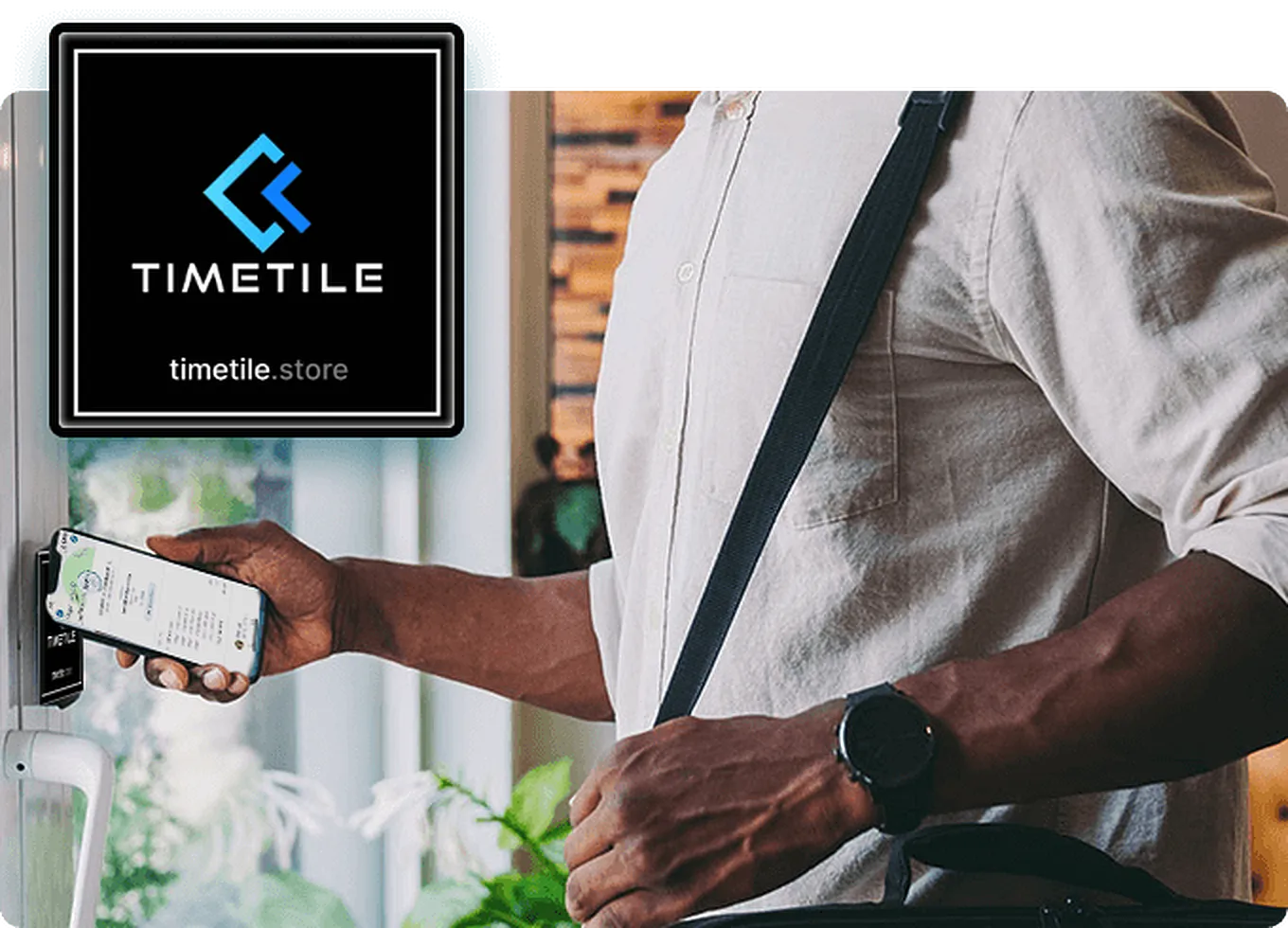
Guarantee On-Site Employees: TimeTiles™ + GPS Tracking
Worried about where your cleaners really are during work hours? TimeTiles™ put an end to the guesswork. Place these small NFC tiles at your job sites so employees must physically tap them to clock in. Meanwhile, GPS alerts you if anyone leaves the geofenced area. No more uncertainty, guaranteed.
- Requires an on-site tap to clock in/out
- Easy to set up—no power required
- Works anywhere you can place a tile
- Geofence instantly detects employees leaving the job
Tap into peace of mind with TimeTiles™+ GPS
Explore the GPS Time Clock App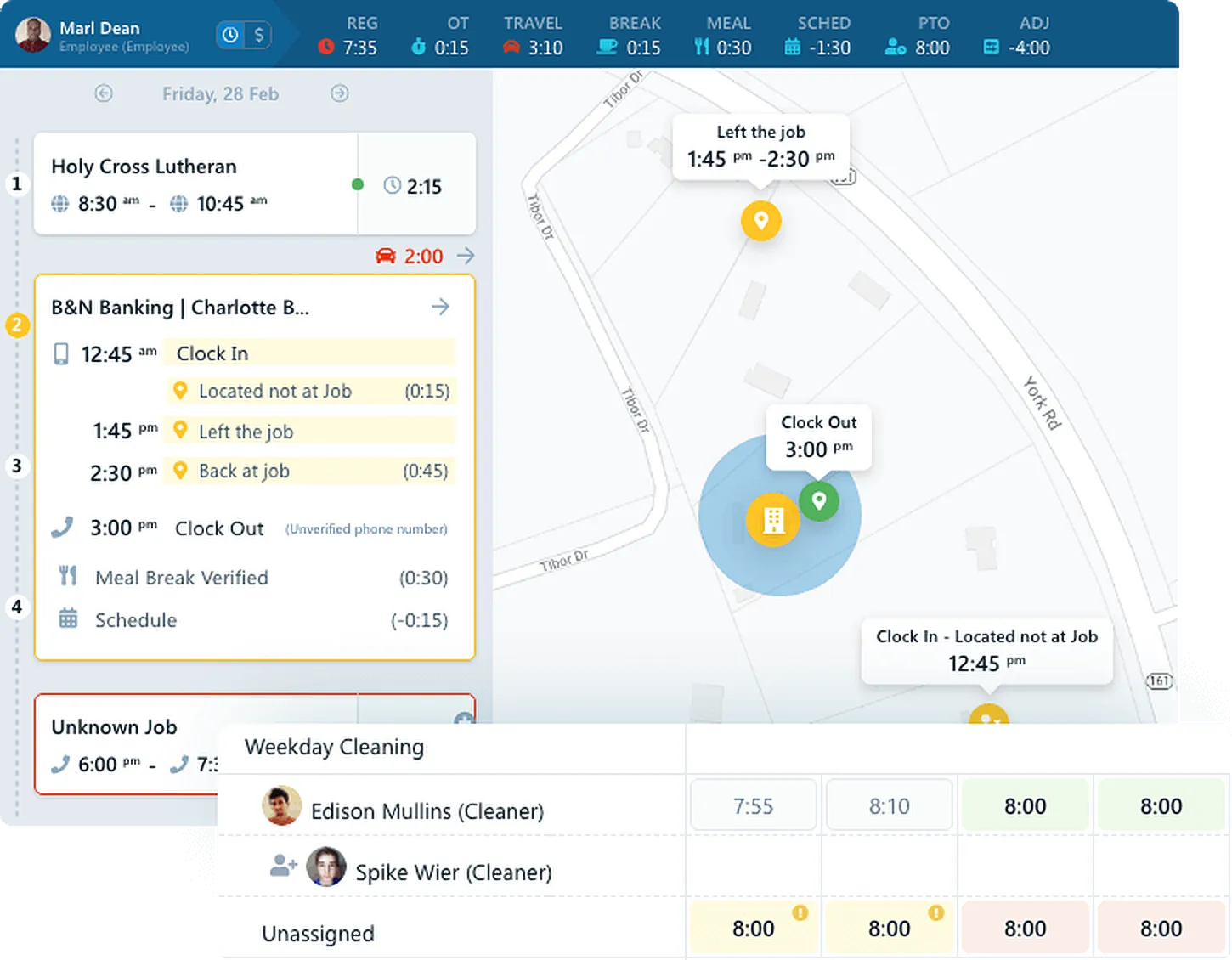
Monitor Your Workforce in Real-Time
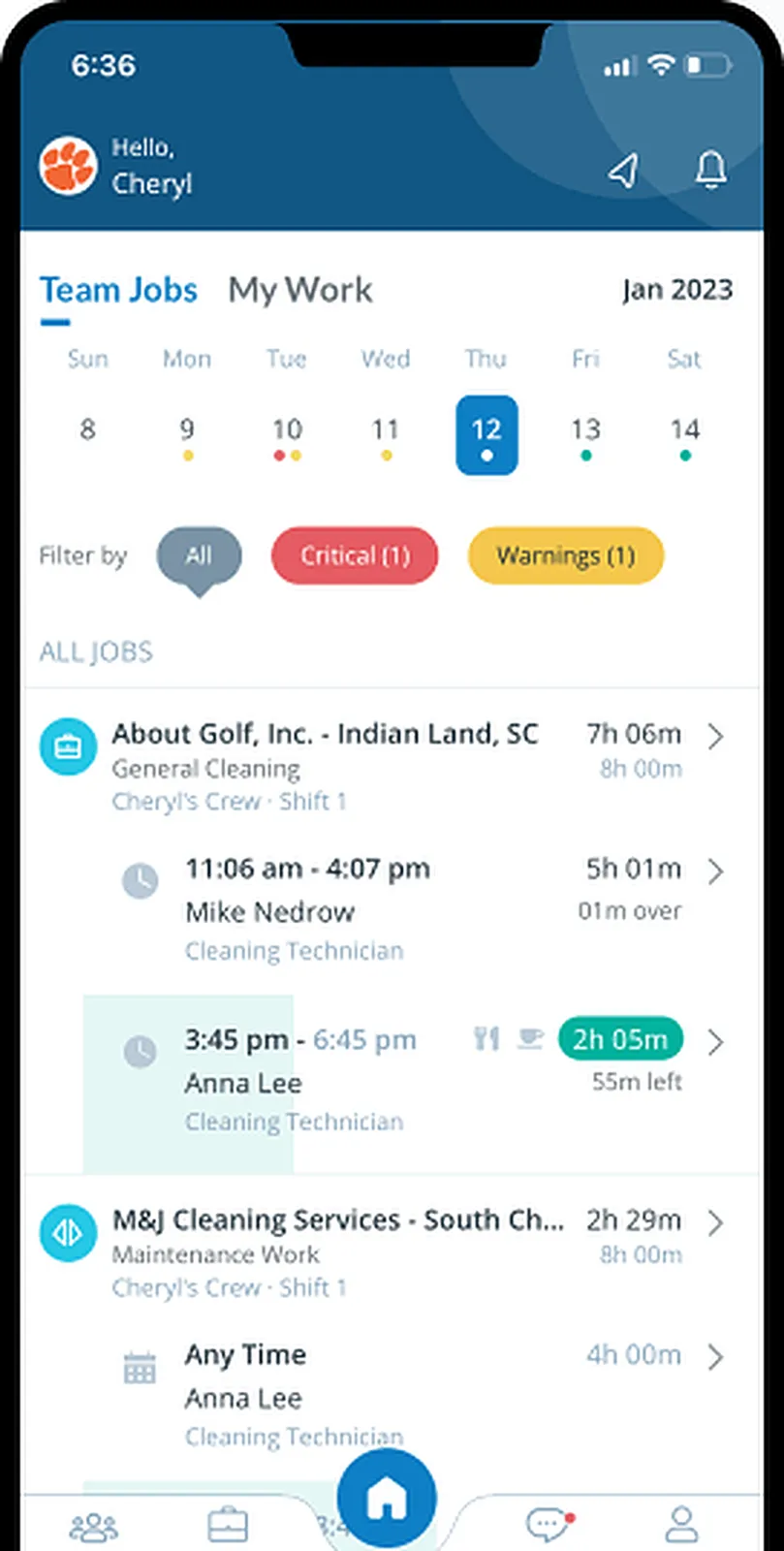
Get a complete overview of your company's daily operations with a live-streaming dashboard. See where everyone is clocked in, get alerts if they leave, and know if they don't show up. Communication is also a breeze with everyone on one platform. Create Teams for days, nights, weekends, or special projects to send messages & alerts to the right people.
- Live Map
- No-show alerts
- GPS infraction alerts
- Team Shifts
Handle issues in real time.
See How Timekeeping Works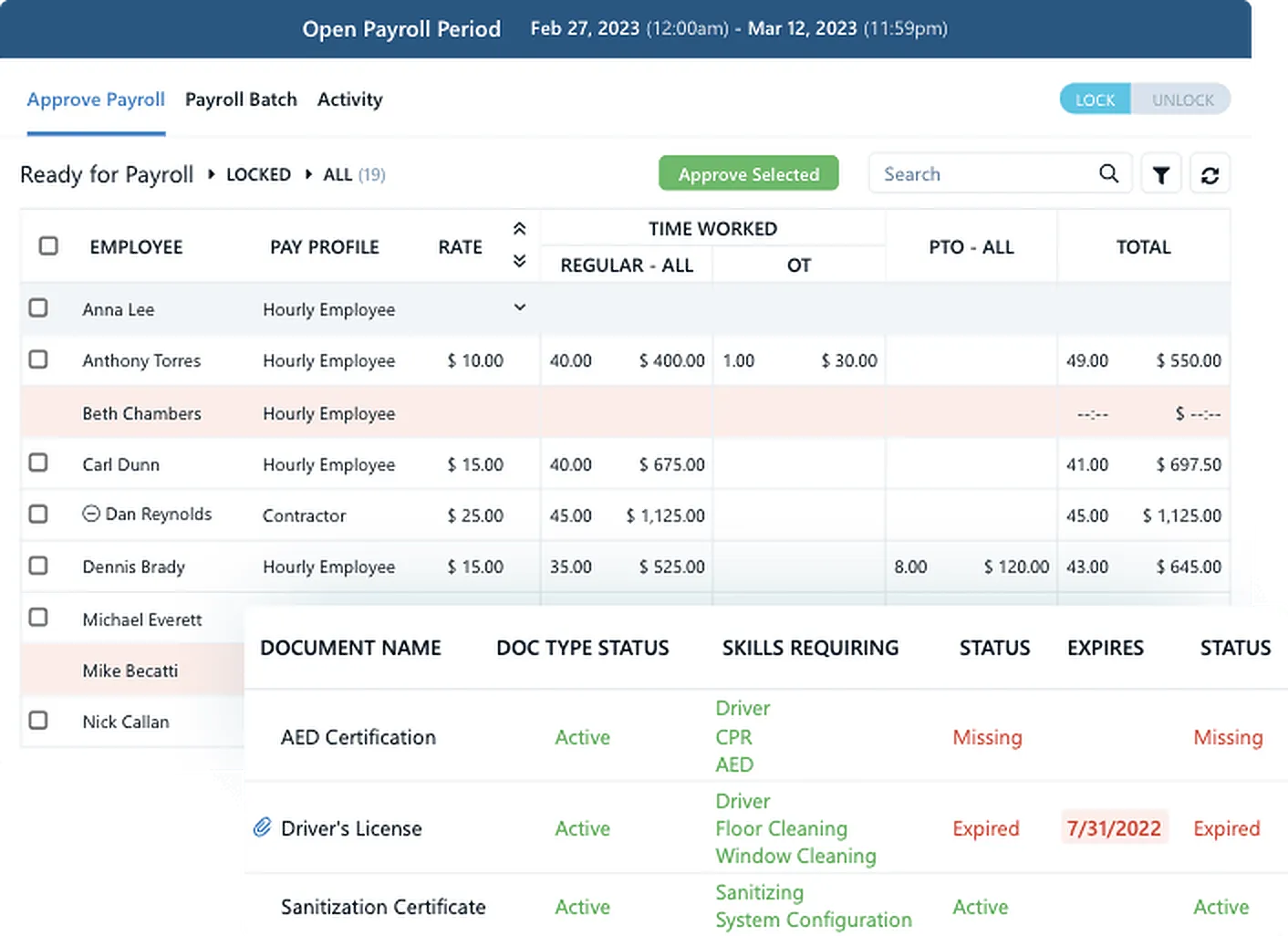
Effortlessly Manage HR and Payroll
Manage HR & payroll like a Pro with a virtual assistant flagging issues 24/7/365. Store personnel documents and never miss an expiring certification or birthday. Preview payroll with total hours for every pay code. For ultimate ease, group salaried, hourly, and contractors.
- Time card issues flagged
- Lock pay periods
- Pay codes for projects
- Payroll company exports
You're going to love your job again!
Explore HR & Payroll Tools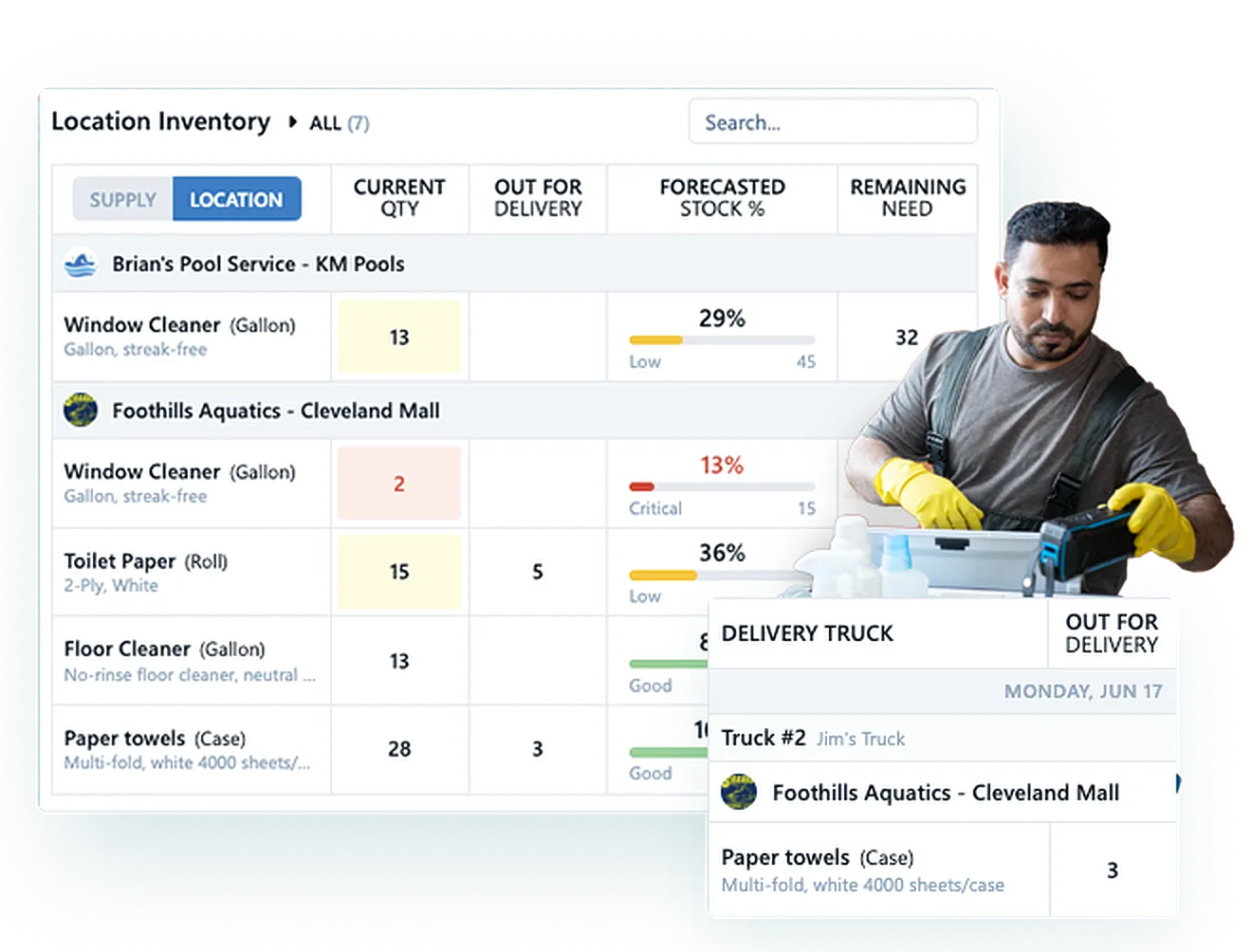
Track Supplies and Inventory
You will never run out of supplies again. Easily manage and track your inventory with Pro’s supply management system, ensuring you always have the supplies you need at your job sites and warehouse.
Explore Supply Management
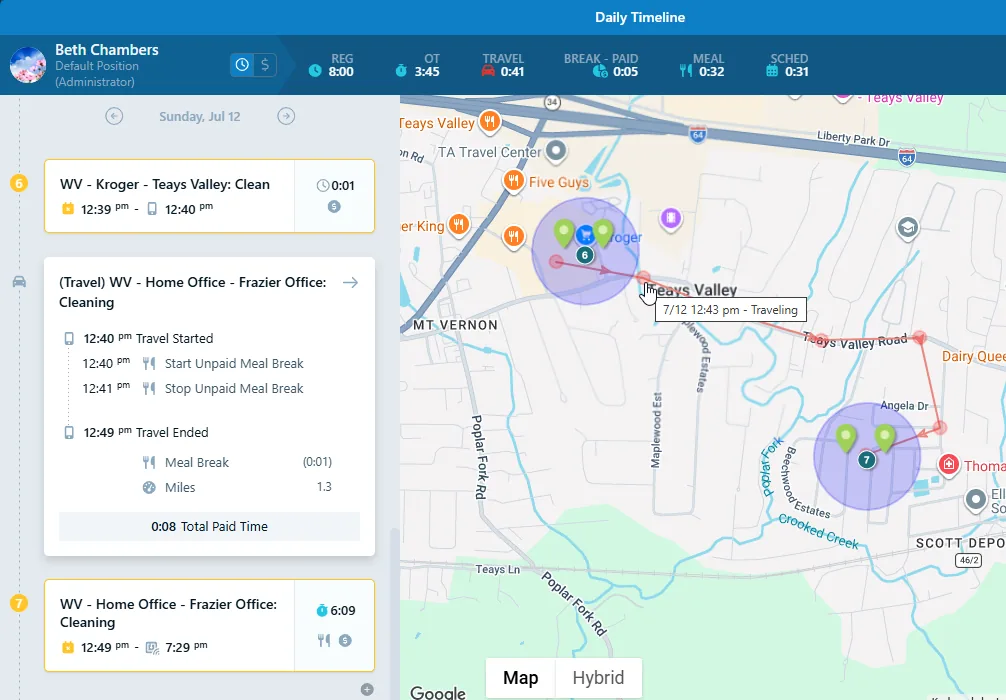
 Location Verification
Relax knowing where all your employees are
Chronotek Pro is your virtual eyes in the field. With exclusive GPS tracking, clock-in TimeTiles™, and alerts when employees leave the job, you will always know where your cleaners are. View a Live Map showing where everyone is clocked in. Pro is a janitorial time tracking app like you've never seen before.
- Ensure on-site clock-ins
- Live Map
- Left job alerts
- Live-streaming dashboards
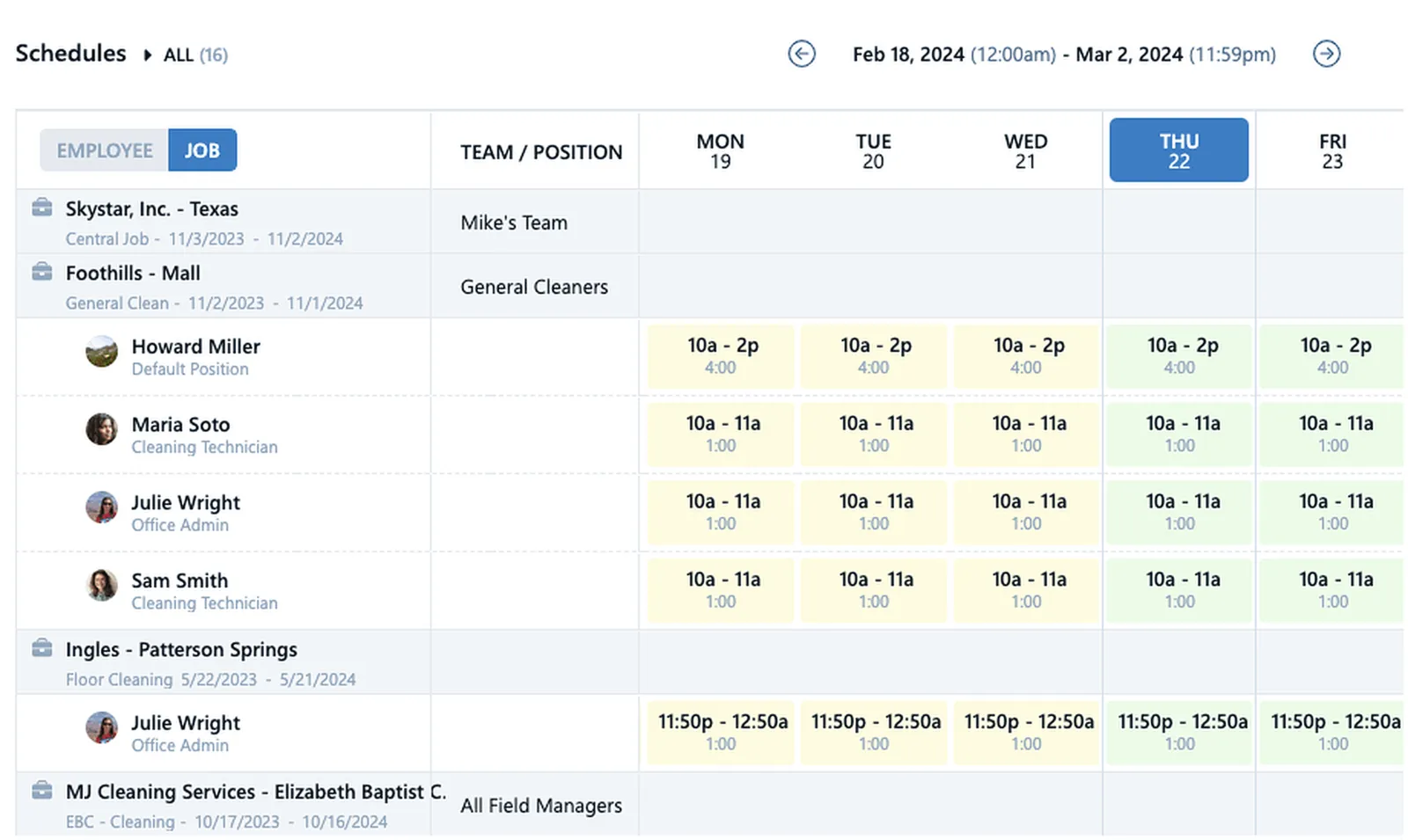
 Scheduling
Smart Scheduling drives your profits
Pro's janitorial scheduling and timekeeping involves more than people & time slots. Ensure profits by creating shifts with pay codes & seeing far in advance if schedule changes impact your budgets. Guarantee everyone clocks into the right job. Assign positions to shifts to ensure you have qualified staff on site. That's scheduling like a Pro!
- Late & No-Show Alerts
- Flexible schedules
- Actual v. Scheduled hours
- Totals by day, week, & pay period
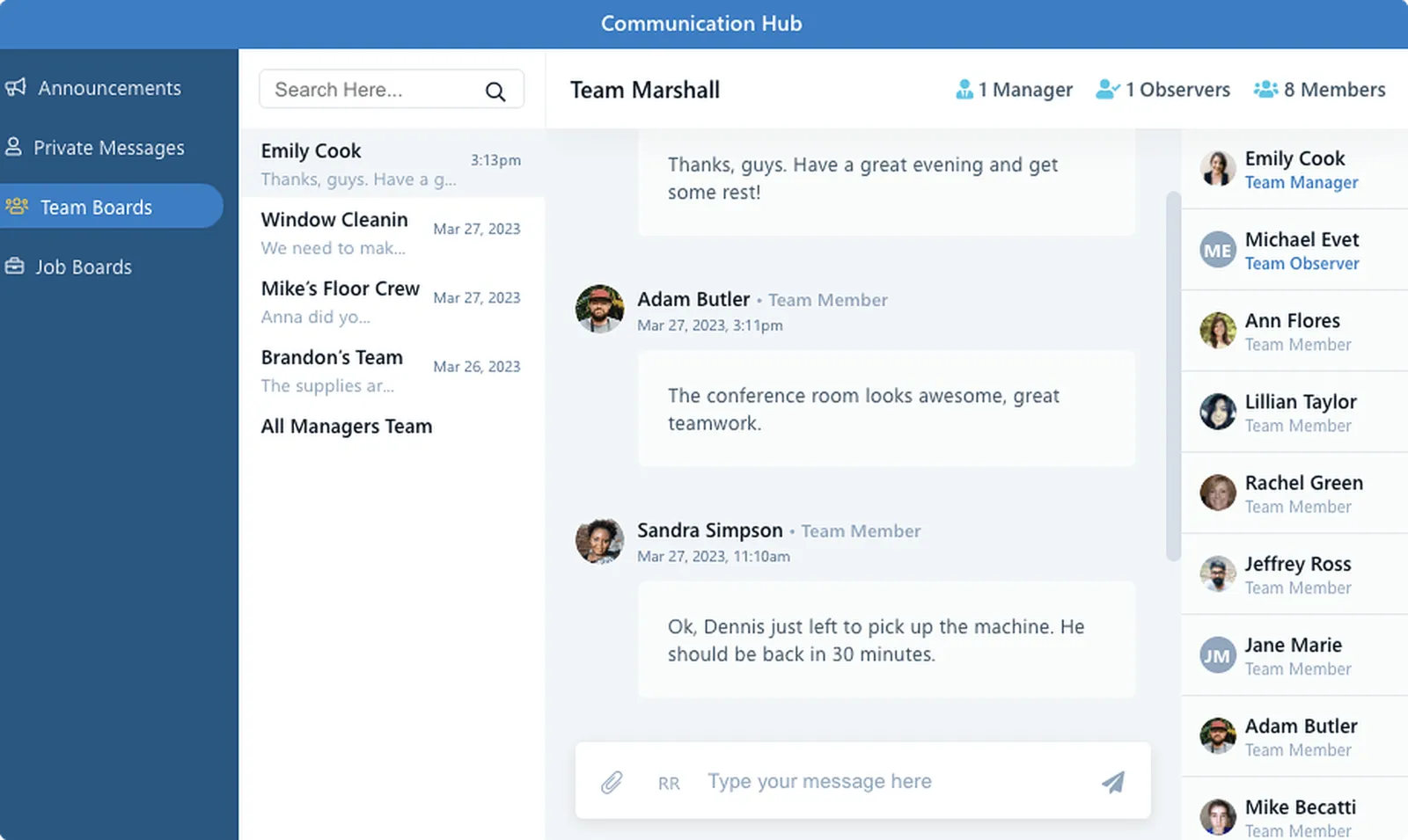
 Communication
It's time to ditch personal group texts and voicemails
Imagine your entire cleaning company on one easy-to-use communication platform and no one ever misses a message. Sending & receiving is a snap with 35 languages automatically translated. The Hub is a click away for everyone.
- Job & Team Boards
- Required-read messages
- One-way announcements
- 1:1 messages
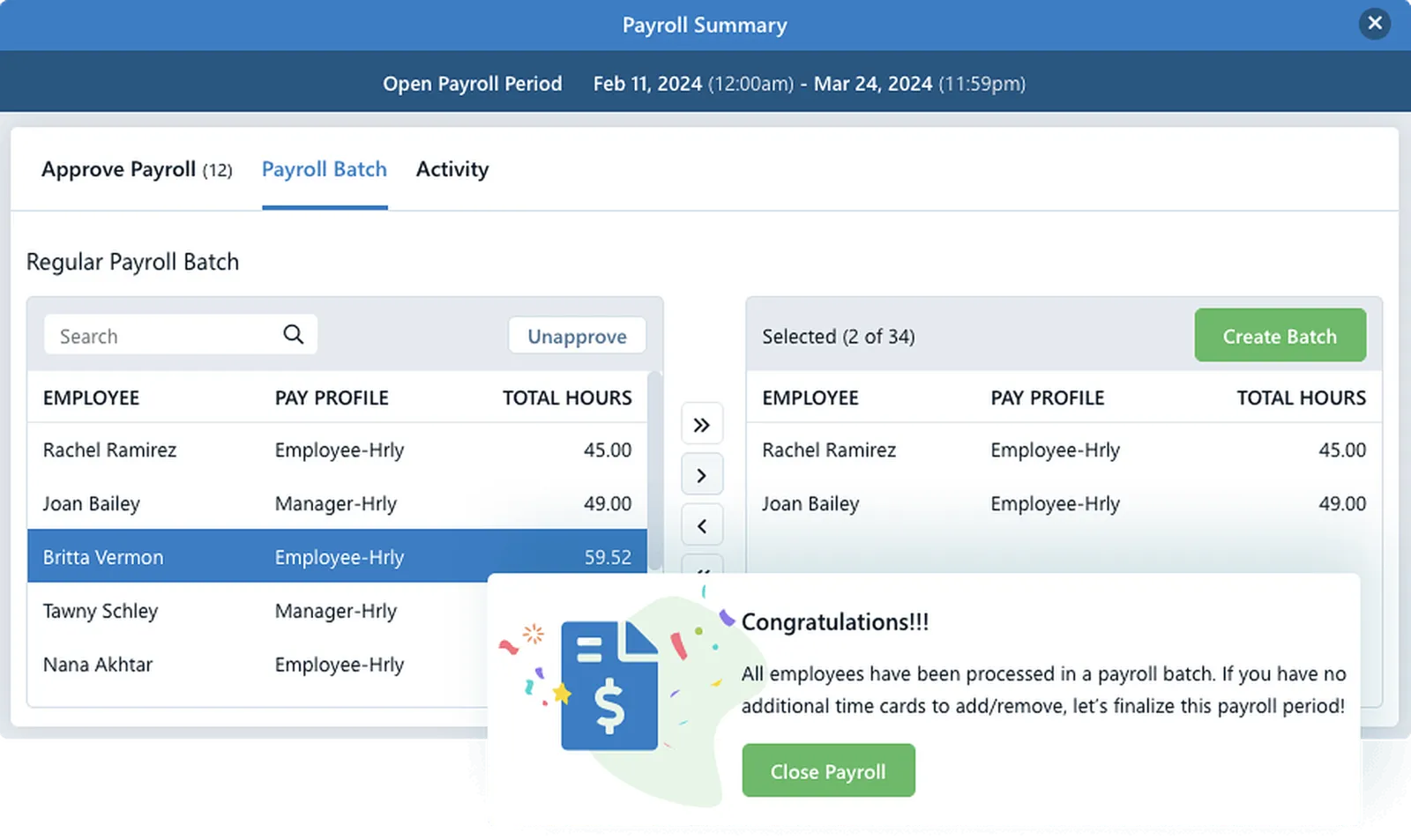
 Payroll Prep
Your cure to loathing payroll day
Fix time card issues in real-time and guarantee everyone gets assigned the correct pay, even for special projects. Run payroll in-house or seamlessly export to ADP, Paychex, Paycom, or PDP. It's easy with Pro.
- Total hours by pay codes
- Batch different workers
- Different pay schedules
- Custom Pay Codes
 Teams
TeamsFor the Way You Assign Work
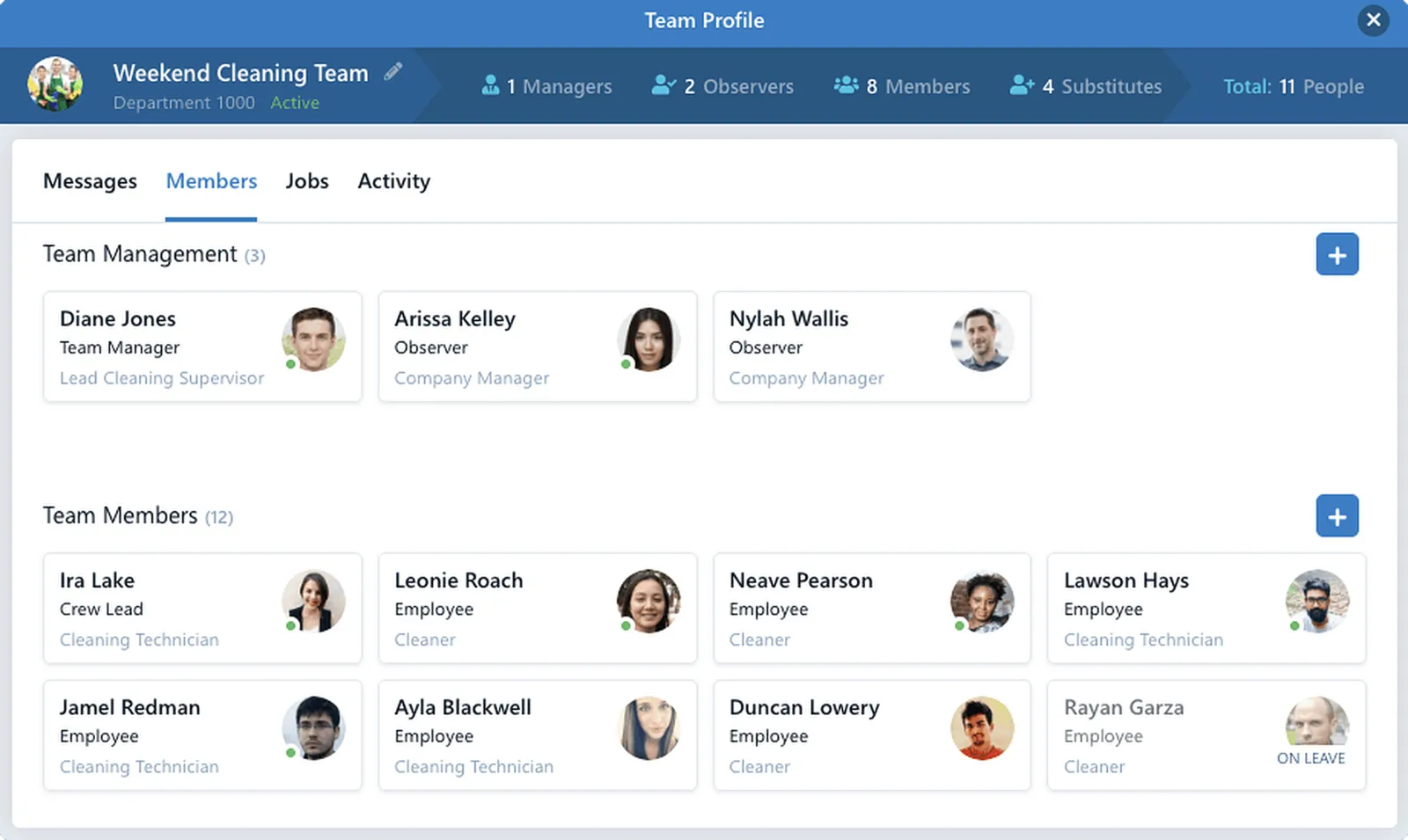
Teams are your people organized. Do you have cleaners who only do floor work? Create a floor Team. Put weekend janitors on a weekend Team. Add people to a Team, and they can communicate on their Team Board. Supervisors manage their Teams from the app. Teams also ensure cleaners clock into the right job.
- Team message board
- People on Multiple Teams
- Assign Teams to Jobs
- Custom Teams
 Reports
Detailed reports for everything you need to know
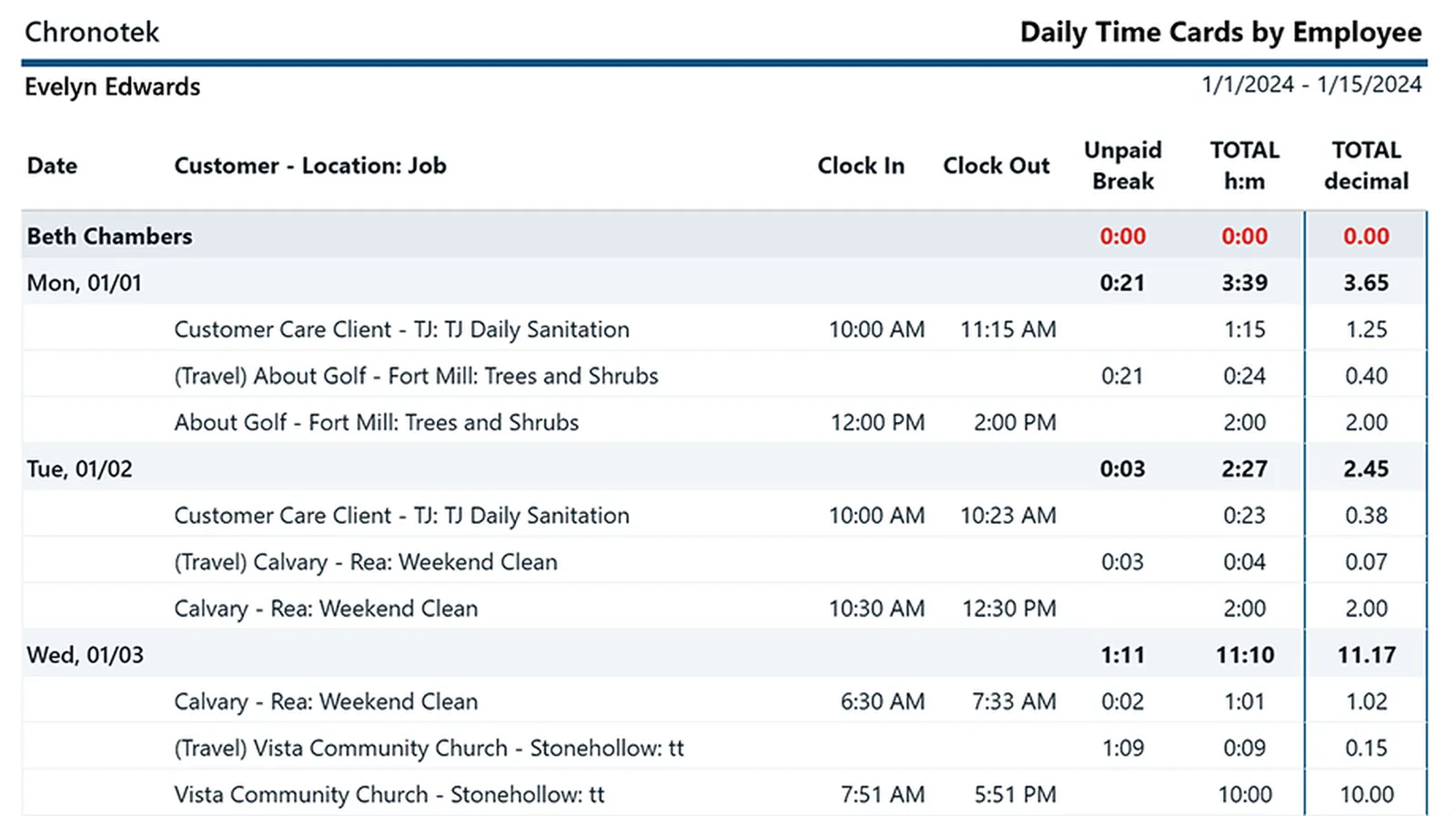
Run reports by employees, jobs & customers. Verify timesheets & schedules. You may discover that Pro's live-streaming dashboards make reports a thing of the past. But don't worry. We provide a full suite of them.
- Timesheet Verification
- Customer Detail Log
- Weekly Schedules
- Daily Time Cards & more!
 Documents
Clear the clutter with digital document storage
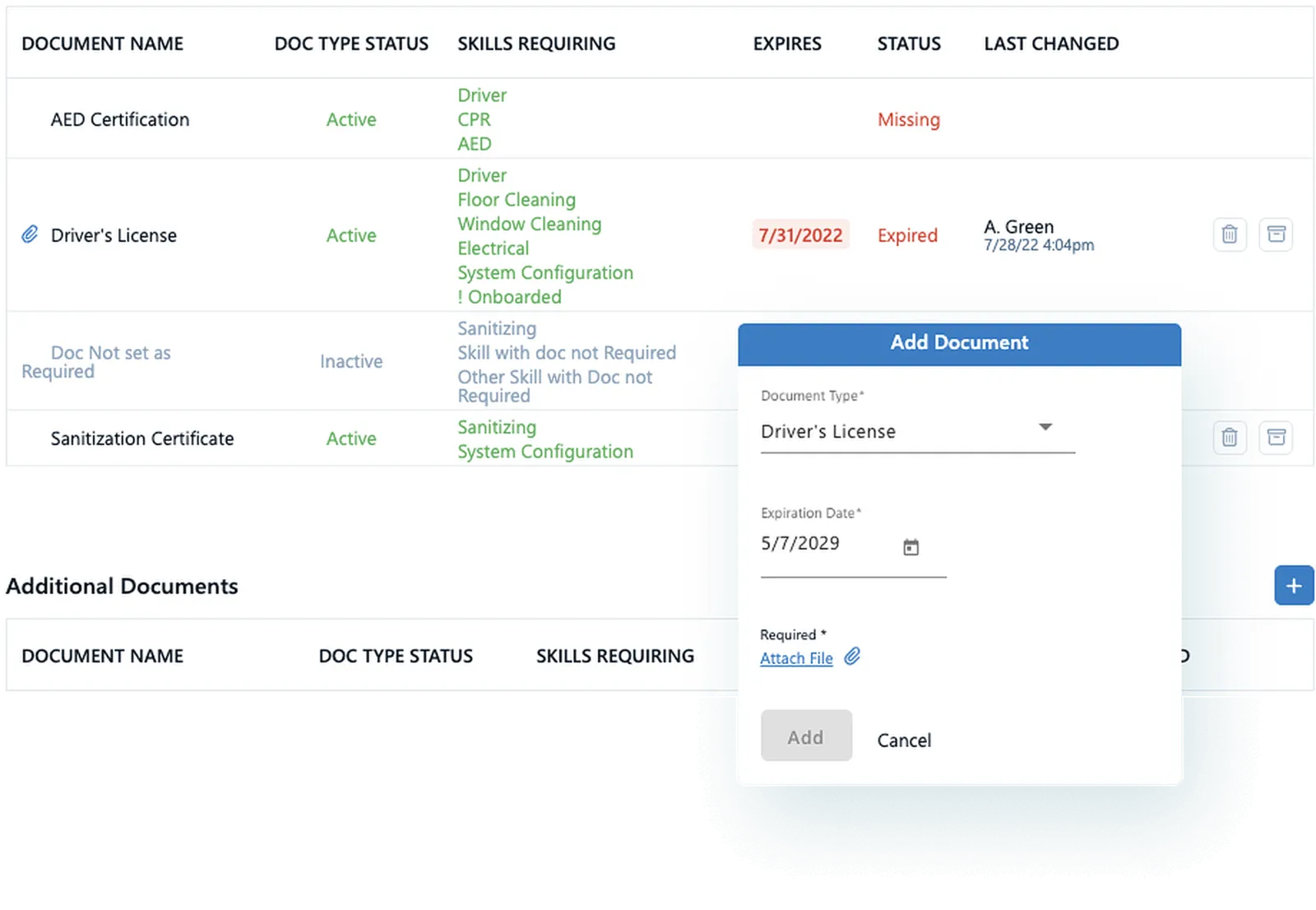
How do you keep up with your employees' driver's licenses and work permits? Some cleaning jobs need certifications for equipment, chemicals, green practices, or special environments. Store & track it all in Pro!
- Track birthdays
- Expiring doc alerts
- Emergency contacts
- Easy onboarding workflows
 Travel & Breaks
Take the hassle out of tracking travel time & breaks
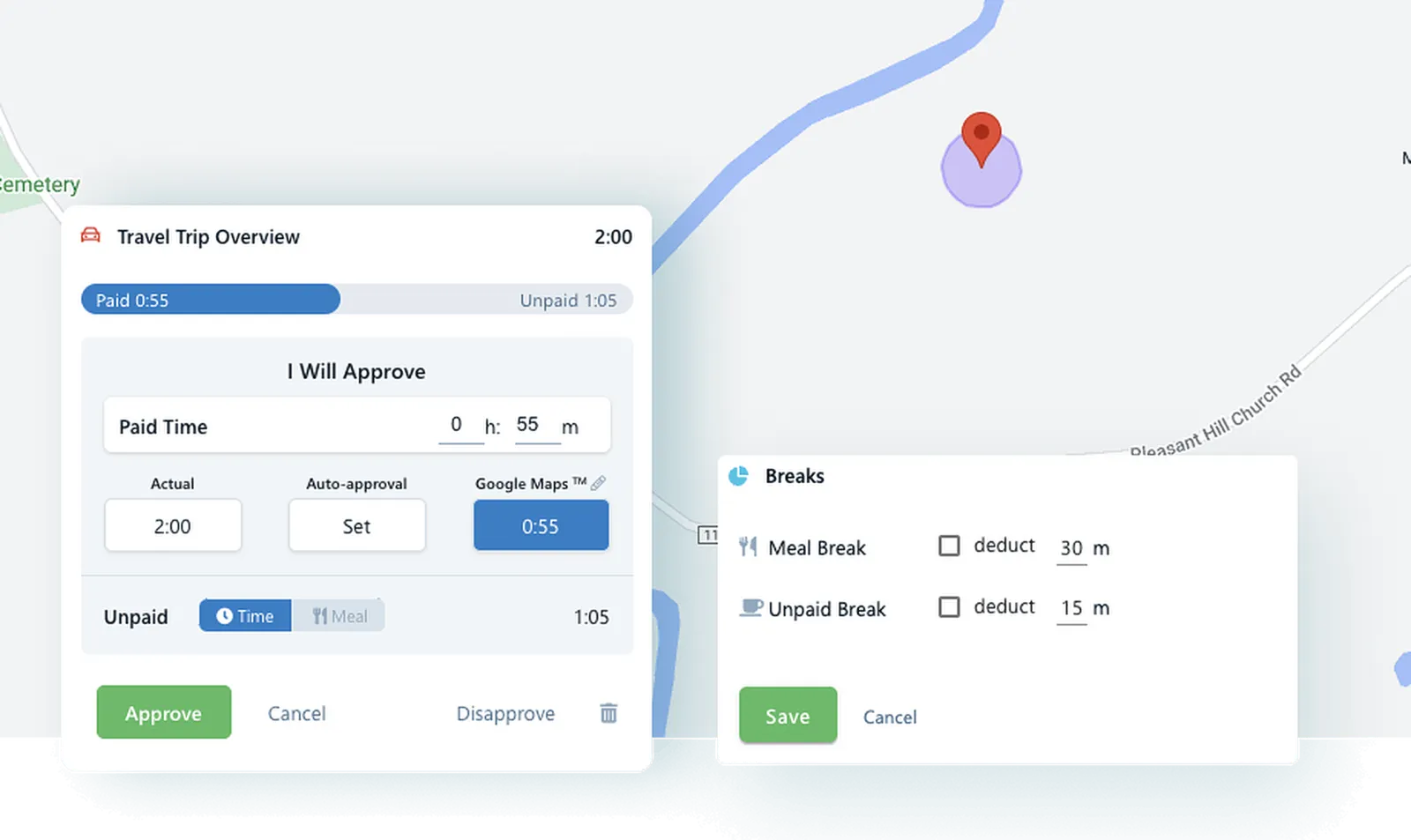
Automate travel time calculations & track breaks with ease. Employees clock into different jobs, and Pro creates travel records. Set your travel time thresholds & Pro will flag you when employees go over. A simple button on the app makes taking unpaid breaks a breeze. Welcome to Professional Grade!
- Set travel limits
- Time and Mileage
- Google Maps or Actual
- Breaks on time cards
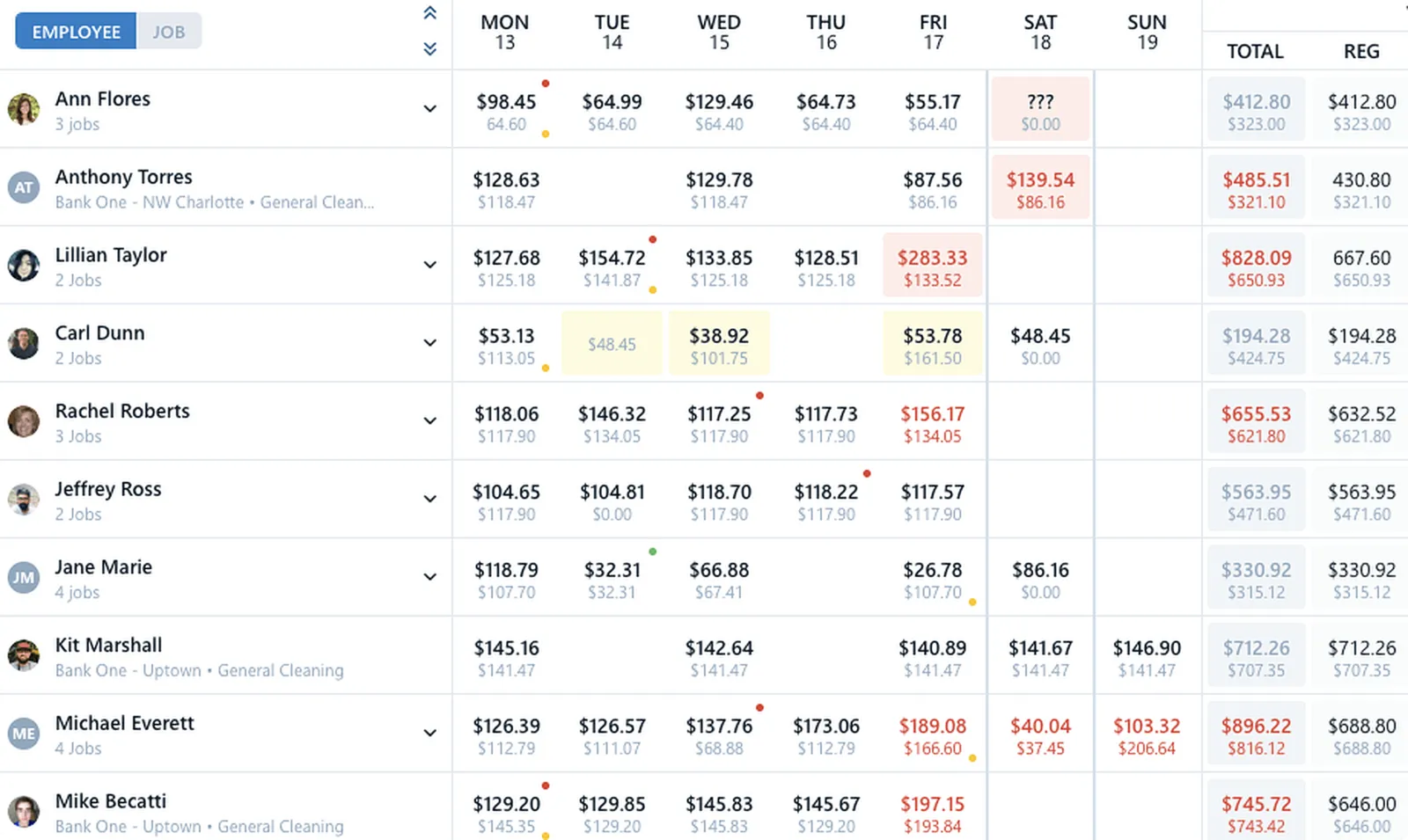
 Job Costing
See in living color what you've spent and predicted to spend
Take control of spending and see in real time where every labor dollar goes. Make better decisions with up-to-the-minute cost data instead of relying on last week's spreadsheet. Did OT creep into the schedule next week? No problem. Fix it with a quick schedule change.
- Custom budgets
- Overtime by job
- Travel by job
- Predicted costs
What Should Janitorial Software Do for Your Cleaning Company?
Janitorial companies use workforce management software to run scheduling, timekeeping, and payroll from one system — plus the crew communication, supply tracking, and job costing that keep contracts profitable. This guide walks through what each capability should do for a commercial cleaning business, and the same platform works whether your crews clean offices, industrial facilities, or any other commercial buildings.
Verified timekeeping and GPS tracking for cleaning crews
GPS time tracking for cleaning crews should prove that every clock-in happened at the building — not from the parking lot or someone’s couch. Chronotek Pro geofences each job, requires location services at clock-in, alerts a supervisor the moment a cleaner leaves the site while still on the clock, and marks the infraction on the time card for review. See how the GPS time clock app works in the field.
GPS is not reliable everywhere cleaning happens — basements, interior suites, and the middle of large buildings can weaken the signal. That is why Chronotek Pro also offers NFC TimeTiles™: cleaners physically tap a tile placed at the job site to clock in, and the tap does not depend on GPS at all. And crew members without smartphones clock in by calling a toll-free number — from a job-site landline, caller ID verifies they are on-site, with prompts in English and Spanish.
Janitorial scheduling that catches problems before customers do
Janitorial scheduling software should compare every scheduled shift against actual clock-ins and alert you the moment a cleaner is late or does not show — because in this business, a missed cleaning is a missed contract renewal. Chronotek Pro builds fixed or flexible shifts with pay codes, assigns positions so qualified staff land on the right buildings, compares actual versus scheduled hours, and predicts next week’s overtime while there is still time to reassign the work.
Because scheduling and timekeeping live in one system, the schedule is not a wall chart — it is the trigger for every no-show alert. For a deeper walkthrough, read our guide to janitorial scheduling software.
Crew communication with automatic translation
Cleaning crews work nights, spread across dozens of buildings, and often speak several languages — so managing cleaning staff takes messaging that reliably reaches everyone. Chronotek Pro puts your whole company on one communication platform with 35 languages automatically translated in both directions: you write in English, your cleaner reads it in Spanish, and their reply comes back to you in English.
Job and Team boards keep instructions with the right buildings and crews, required-read messages confirm who actually saw the announcement, and 1:1 messages replace the late-night personal texts and voicemails.
Supply and equipment tracking at every job site
Supply tracking in janitorial software keeps every job site stocked: Chronotek Pro shows real-time inventory at each warehouse and building, warns you with threshold alerts before anything runs out, and lets cleaners request supplies from the same app they clock in with — supervisors approve from their phone and deliveries are tracked to the site. Explore supply management.
If you are searching for janitorial equipment software, know what this is and is not: Chronotek Pro tracks the supplies and equipment your jobs need — inventory levels, requests, and deliveries — it is not asset-maintenance software for machine service schedules.
Job costing that protects your margins and your next bid
Job costing in janitorial software shows in real time what each cleaning contract actually costs in labor — and predicts what it will cost weeks ahead, so overtime and travel never quietly eat a bid’s margin. Chronotek Pro tracks labor costs against a custom budget per job, breaks out overtime and travel by job, and flags predicted overruns while a quick schedule change can still fix them.
Those real numbers make your next bid sharper, too: you learn what a building of a given size truly costs your company to clean. To pressure-test a bid, run your wage, burden, and overhead numbers through our free labor cost calculator, and see our guide to janitorial job costing and estimating.
Payroll prep that hands your provider clean hours
Janitorial software should deliver verified, payroll-ready hours — not a stack of time card disputes to untangle every other Friday. Chronotek Pro flags time card issues as they happen, totals hours by pay code, locks finished pay periods, and groups salaried, hourly, and contract workers so each batch runs the way your payroll does.
Run payroll in-house or export directly to ADP, Paychex, Paycom, or PDP. Either way, the hours you pay are the hours verified at the job site. See the HR & payroll tools.
How to choose the best janitorial software
The best janitorial software for your company is the one that verifies work happened on-site, surfaces problems in real time, and covers scheduling through payroll in one system instead of a duct-taped stack of point tools. For a closer look at what to compare, read our guide to choosing software for cleaning crews. Put every option you evaluate through this checklist:
- Verified on-site clock-ins — GPS geofencing plus an option that works where GPS does not. Chronotek Pro pairs GPS with NFC TimeTiles™ and landline caller-ID verification.
- Real-time no-show alerts — you should hear about a missed shift before the customer does. Pro alerts you the moment a scheduled shift does not start.
- Scheduling and timekeeping in one system — separate tools cannot compare scheduled hours to actual hours. Pro does it on every time card.
- Communication your whole crew can read — Pro auto-translates messages across 35 languages and confirms required reads.
- Direct payroll exports — Pro exports to ADP, Paychex, Paycom, and PDP, with pay codes and locked pay periods.
- Honest pricing — published rates, a real free trial with no credit card, and no contracts. Pro publishes everything on its pricing page.
Score any janitorial software programs you are considering against this list, then verify the winner yourself — every Chronotek Pro account starts with a 30-day free trial.
Everything a janitorial point tool does — plus the operations depth it leaves out.
Janitorial-only apps handle inspections and checklists, then stop. Chronotek Pro covers your whole operation — verified timekeeping, payroll prep, job costing and supply management — in one system your crews already clock in with.
One platform for the whole operation — not another point tool to duct-tape together.
Book a DemoSimple, honest pricing for commercial cleaning companies
Chronotek Pro is commercial cleaning software priced for a five-person crew and a hundred-cleaner operation alike: $19 per month plus $6 per employee per month, with a 5-employee minimum — so janitorial business software for your whole operation starts at $49 per month. Prepay for a year and save 15%.
Every account starts with a 30-day free trial — full access, no credit card, and no contracts to sign.
Janitorial Software FAQs
Janitorial management software runs the daily operations of a commercial cleaning company in one platform — verified employee timekeeping, crew scheduling, team communication, payroll prep, supply tracking and job costing. Chronotek Pro adds GPS geofencing and NFC TimeTiles™ so every clock-in happens at the job site, plus live dashboards that flag no-shows and GPS infractions in real time. Commercial cleaning companies have trusted Chronotek for 30+ years.
The best janitorial software with payroll management flags time card issues automatically, totals hours by pay code, and exports directly to your payroll provider. Chronotek Pro previews payroll with total hours for every pay code, lets you lock pay periods, groups salaried, hourly and contract workers, and exports to ADP, Paychex, Paycom and PDP. See the HR & payroll tools for details.
Yes — Chronotek Pro combines janitorial scheduling and time tracking in one system. Build fixed or flexible shifts with pay codes, get late and no-show alerts the moment a scheduled shift doesn’t start, compare actual versus scheduled hours, and require GPS or TimeTiles™ clock-ins so every recorded hour belongs to the right job.
They are two names for the same category — software built for cleaning businesses that service offices, medical facilities and other commercial buildings. Whichever term you search, look for the same essentials: on-site clock-in verification, scheduling with no-show alerts, payroll preparation and real-time job costing. Chronotek Pro covers all of them in one platform used by hundreds of commercial cleaning companies.
It compares every scheduled shift against actual clock-ins and alerts you in real time when a cleaner is late or doesn’t show, so you can reassign the job before the customer notices. Chronotek Pro surfaces these events on live-streaming dashboards, activity feeds and mobile alerts, and its geofence detects an employee leaving the job site while still on the clock.
Yes. With Chronotek Pro, employees without smartphones clock in by calling a toll-free number from a cell phone or a landline job-site phone — and landline caller ID verifies the employee is on-site. The dial-in prompts are available in English and Spanish, so every cleaner on your roster can be tracked in the same system.
Chronotek Pro costs $19 per month plus $6 per employee per month, with a 5-employee minimum — so the entry price is $49 per month. Prepaying annually saves 15%, and every account starts with a 30-day free trial with full access. See current pricing for details.
Yes — Chronotek Pro tracks the cleaning supplies and equipment your jobs need: real-time inventory levels at every warehouse and job site, threshold alerts before anything runs out, in-app supply requests from cleaners, supervisor approvals, and delivery tracking. It is inventory and supply tracking, not asset-maintenance software for machine service schedules. See supply management for details.
Yes. The core needs are the same whether your crews clean offices, industrial facilities, medical buildings or other commercial spaces: verified on-site clock-ins, scheduling with no-show alerts, crew messaging and payroll prep. Chronotek Pro is one platform for all of them — the same account can run office cleaning crews on night shifts and industrial cleaning teams on weekends, organized into their own Teams with their own schedules and job sites.
Yes — every new account starts with a 30-day free trial with full access to the system, and no credit card is required. Add a few employees and a couple of jobs, and your crews can begin clocking in right away.
Get started with Chronotek Pro in just 3 easy steps
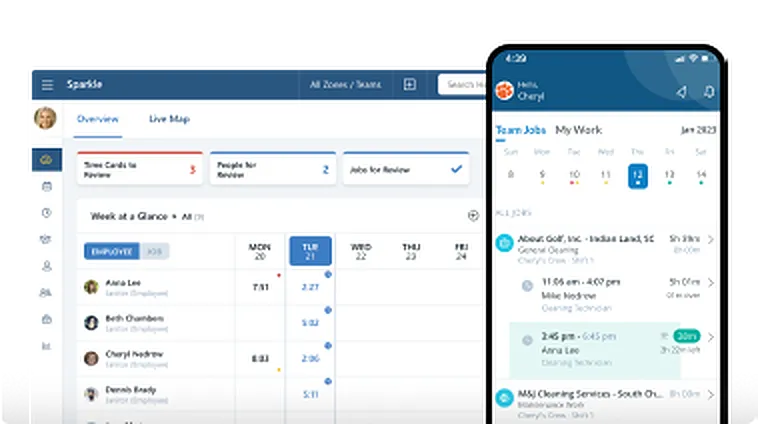
Take a Test Drive
Start by adding a few employees and try Chronotek free for 30 days. You can be up and running in three simple steps - experience how easy it is to use!
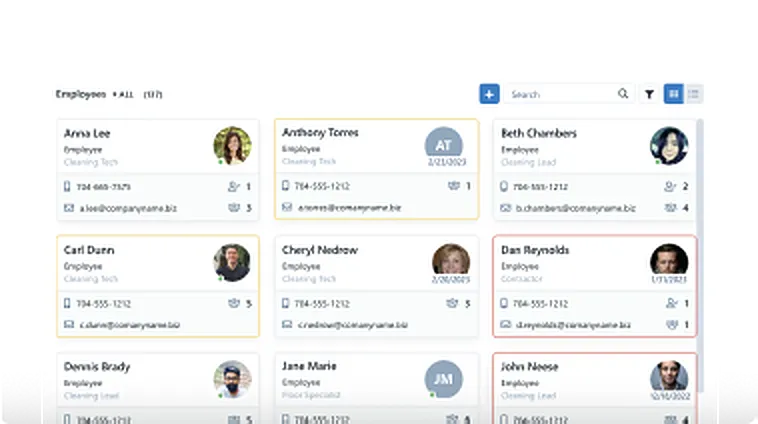
Onboard Your Company
Our team will help you seamlessly onboard to Chronotek. We can assist with transferring data from your current software and customize the system to meet your specific needs.
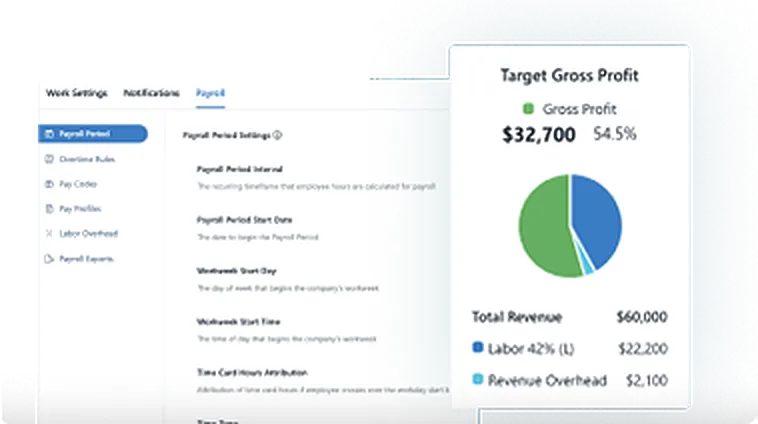
Account Tune-Up
Support doesn’t end there – we’re committed to helping you get the most out of the system. Your account manager will schedule regular check-ins to ensure everything is running smoothly.