


GPS tracking for employees can be useful, but only when it is used for the right purpose. For businesses with remote, mobile, or off-site hourly workers, the goal should not be to watch employees all day. The goal is to verify work-related activity: who clocked in, where they were, whether the shift matched the schedule, and whether payroll records are accurate.
That distinction matters. A janitorial cleaner working alone in a customer building, a security officer reporting to a fixed post, a construction worker moving between job sites, and a field technician traveling between calls all create the same management challenge. The office needs reliable attendance visibility without creating unnecessary employee privacy concerns.
Quick Answer: What Is GPS Tracking for Employees?
GPS tracking for employees uses location data from a mobile device or time clock system to confirm where work-related activity happens. In workforce management, the most practical use is usually a GPS time clock app: employees clock in and out on their phones, and the system records the time, employee, job, and location connected to the punch.
The best systems use GPS tracking as part of a broader attendance process. They connect location data to schedules, job sites, alerts, payroll preparation, and labor reporting. That helps managers verify job-site attendance without relying on paper timesheets, texts, or after-the-fact supervisor notes.
When GPS Tracking Makes Sense
GPS tracking is most useful when employees work away from a central office and managers cannot directly observe every shift. That includes companies with crews, guards, technicians, drivers, cleaners, maintenance workers, and other hourly staff spread across customer sites.
In those environments, GPS tracking can help answer practical questions:
- Did the employee clock in at the assigned job site?
- Did the shift start on time?
- Was the employee working the correct location?
- Was there a missed shift, late arrival, or unusual punch?
- Can payroll trust the hours being submitted?
- Are labor costs being charged to the correct job or customer?
This is why GPS tracking works best when it is tied to attendance, scheduling, and payroll workflows. Location data by itself is not enough. The value comes from turning that data into better decisions while the workday is still happening.
GPS Tracking Should Verify Work, Not Feel Like Surveillance
Employee location tracking can create understandable privacy concerns. Employers need accountability, but employees also have a reasonable expectation that their personal time will not be monitored unnecessarily. The safest and most practical approach is to use GPS tracking for specific work-related purposes and explain the policy clearly.
| Good Use of GPS Tracking | Risky Use of GPS Tracking |
|---|---|
| Recording location at clock-in and clock-out | Tracking employees continuously when they are off the clock |
| Verifying job-site attendance | Collecting more location data than the business needs |
| Flagging missed shifts, wrong-site punches, or unusual activity | Using GPS data without a clear written policy |
| Supporting payroll accuracy and labor reporting | Assuming GPS data is perfect in every building or signal condition |
| Helping managers respond to field coverage problems | Using location tracking as a substitute for good supervision |
Before implementing GPS tracking, employers should review applicable federal, state, and local requirements, especially if employees work across multiple states. As a practical best practice, employees should be told what location data is collected, when it is collected, why it is used, who can access it, and how long it is retained.
How a GPS Time Clock Works
A GPS time clock records the employee’s location when they clock in or out through a mobile app. The system then connects that punch to the employee, date, time, and assigned job or location. For field teams, this creates a stronger record than a handwritten timecard or a generic punch entered without site verification.
For example, if a cleaner is scheduled to start at a customer building at 6:00 p.m., the system can show whether that employee clocked in around the scheduled time and whether the punch happened near the job site. If the employee clocks in from the parking lot, the wrong location, or much later than expected, managers can review the exception quickly.
This kind of visibility helps reduce common field workforce problems, including missed shifts, buddy punching, unverified hours, early clock-ins, late clock-outs, and payroll disputes.
GPS vs. Geofencing vs. Phone-Based Clock-Ins
GPS tracking is not the only way to verify field attendance. Different job types may need different clock-in methods. A strong workforce management system should support the way the work actually happens.
| Method | Best Fit | What It Helps Verify |
|---|---|---|
| GPS mobile clock-in | Employees who use smartphones and work away from the office | Where the employee was when they clocked in or out |
| Geofencing | Jobs with defined locations or approved work areas | Whether the punch happened near the assigned job site |
| IVR or phone clock-in | Fixed job sites, shared phones, or employees without smartphones | Whether the call came from an approved phone or site process |
| Site-based tools such as TimeTiles | Locations where the business wants a job-site-specific clock-in process | Whether the employee used the assigned job-site clock-in method |
For many companies, the right answer is not GPS instead of phone-based clock-ins. It is using the right method for the right workforce. Mobile employees may need GPS. Fixed-site employees may be better served by IVR, site phones, or job-site tools. Management still needs one place to see attendance, exceptions, schedules, and payroll records.
Why Field-Based Businesses Use GPS Tracking
For companies with off-site hourly employees, GPS tracking is not just about employee location. It supports several operational goals at the same time.
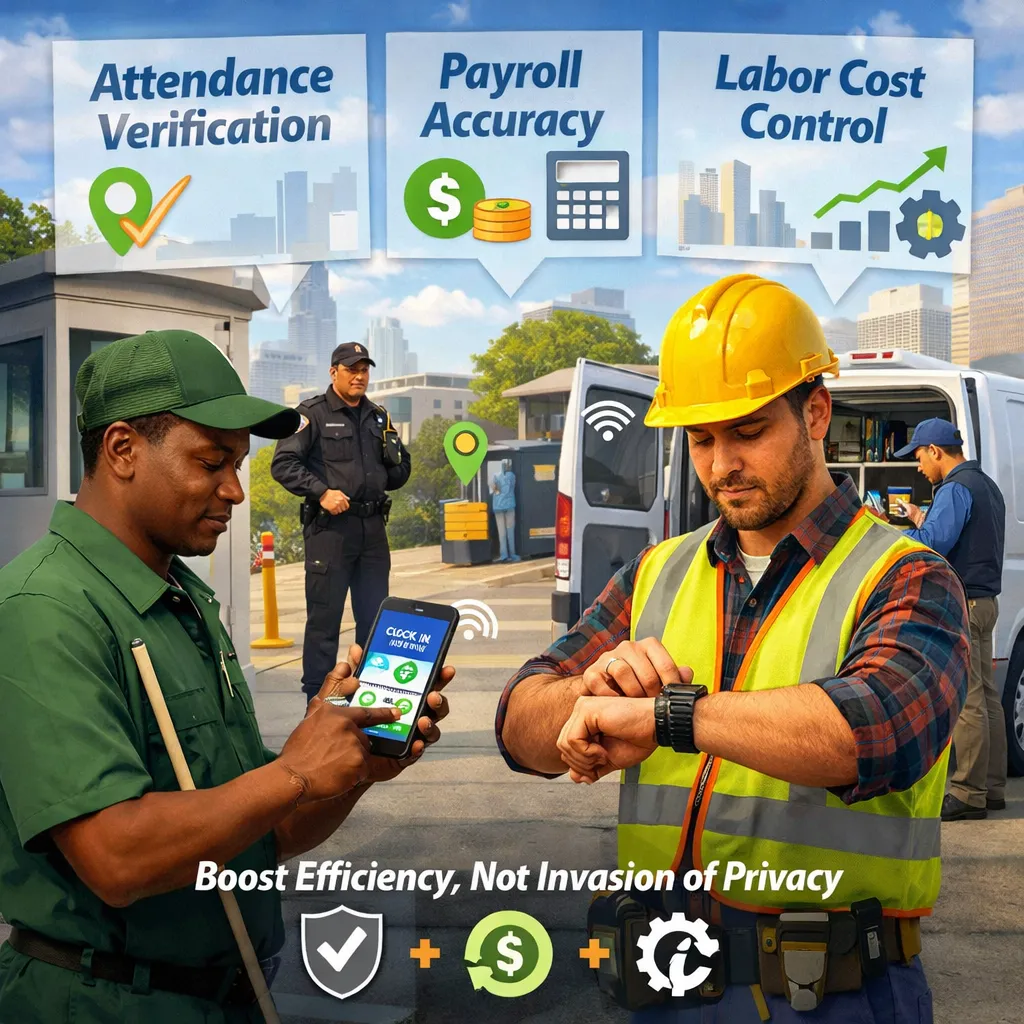
1. Attendance Verification
GPS clock-ins help confirm that employees are where they say they are when the shift begins and ends. This is especially useful for janitorial, security, construction, property management, facilities, and other field-service companies that manage work across many customer locations.
2. Payroll Accuracy
When time records are tied to the correct job and location, payroll teams spend less time chasing missing punches, correcting questionable hours, or trying to interpret handwritten notes. Cleaner inputs create cleaner payroll.
3. Buddy Punching Prevention
GPS tracking can help reduce buddy punching by making it harder for an employee to clock in from the wrong place or create a time record that does not match the assigned job. It works best when combined with unique logins, clear policies, supervisor review, and exception alerts.
4. Missed Shift and Late Arrival Visibility
If a scheduled employee does not clock in, managers need to know quickly. Real-time attendance visibility helps supervisors respond while there is still time to cover the job, notify the customer, or reassign work.
5. Labor Cost Control
GPS tracking becomes more valuable when it connects to job costing and labor budgets. If hours are charged to the right site, managers can compare scheduled labor to actual labor and see where costs are drifting before payroll closes.
Industries Where GPS Tracking Is Especially Useful
GPS tracking for employees is most valuable when the workforce is distributed and the work happens away from direct supervision.
- Janitorial companies: Verify that cleaners arrived at the correct customer building for early-morning, evening, overnight, or weekend shifts.
- Security companies: Confirm attendance at posts, reduce missed coverage, and support supervisor accountability.
- Construction crews: Track site-based time, job assignments, and labor hours across projects.
- Property management and facilities teams: Connect time records to buildings, routes, work orders, and service locations.
- Human services and field programs: Help document employee attendance at assigned service locations while maintaining appropriate privacy practices.
The common thread is simple: the employee is not working at a desk in front of a manager. The business needs proof of work without creating a heavy administrative process.
How Chronotek Pro Uses GPS Tracking for Employees
Chronotek Pro uses GPS timekeeping to help employers verify time and attendance for off-site hourly employees. When employees clock in and out, managers can see the attendance activity and review where the punch happened. That helps answer the operational questions that matter most: who is working, where they are, whether the shift is covered, and whether the time record is ready for payroll.
Chronotek Pro is especially useful for companies that manage distributed field teams, including janitorial contractors, security firms, construction companies, property teams, facilities services, and other businesses with remote hourly workers. The platform combines time tracking with scheduling, attendance visibility, issue alerts, payroll preparation, and labor reporting so managers are not forced to piece together the story from disconnected systems.
The goal is practical control, not unnecessary surveillance. Chronotek Pro helps employers connect time records to the right employee, job, location, and schedule while giving frontline workers a clear process for clocking in and out.
Best Practices for Employee GPS Tracking
GPS tracking works best when expectations are clear and the process is easy for employees to follow. Before rolling it out, employers should build a simple policy and train both employees and supervisors on how the system should be used.
- Explain the purpose: Tell employees that GPS tracking is used for attendance verification, payroll accuracy, job-site accountability, safety, or labor reporting.
- Limit tracking to work-related activity: Avoid collecting location data outside work time unless there is a clear and lawful business reason.
- Document consent where appropriate: Requirements vary, so consult legal counsel if you are unsure.
- Use consistent rules: Apply the same clock-in expectations across employees, teams, and locations.
- Review exceptions fairly: GPS signal issues, building interference, reassigned shifts, and honest mistakes can happen.
- Protect the data: Limit access to people who need the information for payroll, operations, supervision, or compliance review.
Common Mistakes to Avoid
One mistake is treating GPS tracking as a standalone fix. Location data helps, but it is most useful when connected to schedules, job sites, payroll, alerts, and labor reporting.
Another mistake is failing to explain the policy clearly. Employees are more likely to accept GPS time tracking when they understand that it is tied to work activity and payroll accuracy, not off-the-clock monitoring.
A third mistake is expecting GPS to be perfect in every environment. Employees may work indoors, in basements, around large buildings, or in areas with weak signal. The system should give managers a way to review exceptions instead of treating every location mismatch as misconduct.
Frequently Asked Questions
Is GPS tracking employees legal?
GPS tracking laws vary by location and situation. Employers should use GPS tracking for legitimate work-related purposes, provide clear notice, obtain consent where required, and avoid unnecessary off-the-clock tracking. When in doubt, consult legal counsel.
Can employers track employees after hours?
Employers should generally avoid tracking employees after hours unless there is a specific lawful business reason. For timekeeping, GPS tracking should usually be tied to clock-in, clock-out, scheduled work, job activity, or company-owned equipment.
What is the difference between GPS tracking and a GPS time clock?
GPS tracking is a broad term for location monitoring. A GPS time clock is narrower. It records location when an employee clocks in or out so the employer can verify attendance, job-site presence, and payroll records.
Does GPS tracking prevent buddy punching?
GPS tracking can help reduce buddy punching by tying time punches to location data and employee accounts. It works best when combined with unique logins, job-site rules, supervisor review, and clear disciplinary policies.
Is GPS tracking useful for janitorial companies?
Yes. Janitorial companies often manage cleaners across multiple buildings, odd hours, and recurring customer sites. GPS time clocks help verify that employees arrived at the correct location and worked the expected shift.
What should an employee GPS tracking policy include?
A strong policy should explain what data is collected, when tracking occurs, why it is used, who can access it, how long it is retained, and how employees should report problems with clock-ins or location accuracy.